AI Meeting Notes Tools for Remote Teams in 2026: Otter, Fireflies, Tactiq, Notion AI, and ClickUp AI
Last updated: June 12, 2026 · By the findaiverse curation team
Most remote teams do not have a meeting problem. They have a memory problem. The decision was made on Tuesday, the action item was clarified on Wednesday, and by Friday everyone is scrolling through Slack, a Zoom recording, and three personal notebooks trying to prove what was actually agreed. That is why AI meeting notes tools have moved from “nice extra” to basic team infrastructure in 2026.
This guide is for founders, operations leads, product managers, sales managers, and team leads who want cleaner meeting follow-through without asking everyone to become a perfect note taker. We tested the category as a workflow, not as a novelty: capture the conversation, turn it into a useful summary, push tasks into the right place, and make the meeting searchable later. A transcript alone is not enough. A 60-minute wall of text is just a new inbox. The real value comes when a tool can separate decisions, risks, owners, dates, and follow-ups.
The focus here is the productivity cluster on findaiverse. If you want the wider tool map, start with our Productivity AI Tools hub, then compare the specific tools linked throughout this article. We will look at Otter.ai, Fireflies.ai, Tactiq, Notion AI, and ClickUp AI as parts of one meeting operating system.
- Choose by workflow, not transcript accuracy alone — the best AI meeting notes tool is the one that sends decisions and tasks to the place your team already checks.
- Otter.ai is strong for live English meetings — it works well when real-time notes, speaker labels, and searchable transcripts matter more than deep app routing.
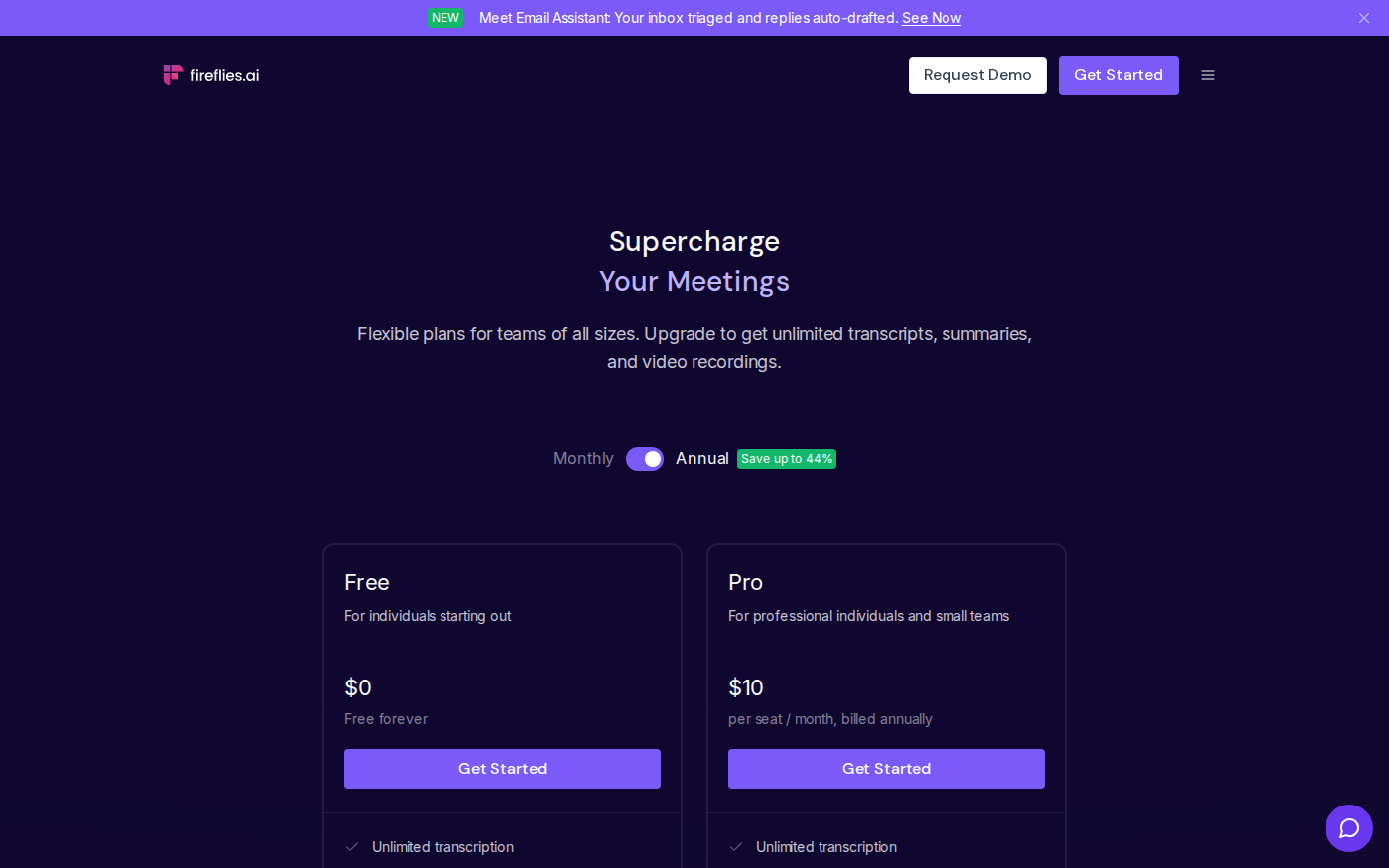
- Fireflies.ai fits teams that want meeting intelligence — summaries, clips, CRM sync, and conversation search make it useful for sales, recruiting, and customer success.
- Tactiq is the lightest way to start — a browser extension can be enough if your team lives in Google Meet and wants notes without adding a meeting bot to every call.
- Notion AI and ClickUp AI finish the job — meeting capture should flow into docs, tasks, status updates, and project memory, not sit in a separate transcript library.
Why meeting notes fail after the call ends
Manual notes fail for a simple reason: meetings ask people to listen, think, decide, negotiate, and document at the same time. That is a bad workload split. The person taking notes often misses nuance. The person presenting rarely writes down objections. The person who owns the next step leaves with a fuzzy memory of the deadline. None of this means the team is careless. It means the process depends on humans doing too many jobs in one room.
AI meeting notes tools fix only part of that problem. They can capture the audio, label speakers, summarize sections, and pull out likely action items. They cannot decide whether a vague promise is actually a task. They cannot know that “let’s revisit this” means “legal review by next Thursday” unless somebody says it clearly. So the winning workflow is not “turn on AI and forget meetings.” It is: let AI capture the meeting, then give a human two minutes to confirm the summary before it becomes team memory.
That distinction matters. A raw transcript is useful for audit, but it rarely changes behavior. A summary is easier to read, but it can still be passive. The real productivity gain appears when the note system creates a loop: decisions go to the project page, action items become assigned tasks, open questions remain visible, and future meetings start from the previous record instead of from vibes. This is why we group meeting notes under productivity, not audio. The tool is not just listening. It is reducing follow-up debt.

In our curation work at findaiverse, the teams that get the most from these tools share one habit: they decide the destination before they pick the recorder. If a sales team already works from HubSpot, meeting notes should land near deals and follow-ups. If a product team runs projects in ClickUp, decisions should become tasks and project comments. If a startup keeps its operating wiki in Notion, the meeting summary should live beside the roadmap, customer notes, and weekly planning pages. The recorder is only the front door.
The comparison framework we use for AI meeting notes tools
Before comparing brands, define the job. We score meeting note tools across five practical dimensions.
1. Capture. Can the tool join Zoom, Google Meet, and Microsoft Teams automatically? Does it support in-person recording? Does it label speakers well enough that you can trust who said what? For English-heavy teams, Otter.ai is often the reference point because it focuses on live transcription and searchable meeting memory. For multilingual teams, Fireflies.ai is worth a closer look because it supports a broader set of languages and meeting platforms.
2. Summary quality. A useful summary should not read like a polite essay. It should show decisions, action items, blockers, risks, questions, and owner names. The best summaries are a little boring: clear bullets, no drama, no fake certainty. If the AI cannot tell the difference between discussion and commitment, you will still need a manual review pass.
3. Routing. Where do the notes go? This is where teams often pick the wrong tool. If the transcript stays inside a separate meeting app, the record slowly disappears from daily work. Look for integrations with Notion, Google Docs, Slack, CRM tools, and project systems. ClickUp AI is useful when the project board itself becomes the place where meeting outcomes are tracked. Notion AI works well when the team wants summaries inside a knowledge base.
4. Search and reuse. A good meeting library lets you ask questions later: “What did the customer say about pricing?” “Which launch risks came up last month?” “Who owns the security review?” Search matters more after the tenth meeting than after the first. This is where a searchable transcript archive can become a company asset.
5. Consent, privacy, and control. Meeting tools handle sensitive information: customer names, revenue, hiring feedback, product plans, and sometimes health or legal topics. Your policy should answer who can invite the bot, which meetings are excluded, how long transcripts are kept, and whether recordings are allowed. The best setup is boring and explicit. No surprise bots in sensitive conversations.
Otter.ai vs Fireflies.ai vs Tactiq vs Notion AI vs ClickUp AI
| Tool | Best fit | Strength | Watch-out |
|---|---|---|---|
| Otter.ai | English-speaking remote teams, lectures, interviews, live calls | Real-time transcription, speaker labels, AI chat over transcripts | Check language needs before using it as a global standard |
| Fireflies.ai | Sales, recruiting, customer success, CRM-heavy teams | Meeting summaries, smart search, clips, CRM and task integrations | Conversation analytics can become noise if managers do not define how to use it |
| Tactiq | Google Meet teams that want a low-friction browser extension | Fast setup, real-time notes, action item extraction, Notion and Google Docs export | Less suited for teams that need a deep standalone meeting intelligence system |
| Notion AI | Teams that keep meeting notes, specs, and operating docs in Notion | Turns transcripts into summaries, decision logs, docs, and wiki pages | It is not the recorder; pair it with a capture tool if you need automatic transcription |
| ClickUp AI | Project teams that want meeting outcomes converted into tasks | Action item extraction, task summaries, standup updates, project context | Requires the team to keep ClickUp clean; messy boards create messy AI outputs |
The table hides a key truth: these tools are not always substitutes. A strong meeting workflow often uses two layers. First, a capture layer records and summarizes the call. Second, a work layer stores the result where the team already plans work. For example, Fireflies can capture a customer call, then a sales team can send action items to CRM and a customer success project. Otter can capture a research interview, then Notion AI can turn it into a structured insight page. Tactiq can capture a quick product sync, then ClickUp AI can help convert the decisions into tasks and a status update.
Recommended stacks by team type
For sales teams: start with Fireflies.ai if call review and CRM follow-up matter. Sales meetings produce dense information: objections, buying committees, renewal risks, pricing mentions, competitor names, and promised next steps. The note system should help reps find those moments without rewatching recordings. Use smart clips for coaching only if the team agrees on how clips will be used. Nobody wants a surveillance theater. The healthier pattern is practical: clip the pricing objection, save the decision, push the follow-up task, and move on.
For product and engineering teams: pick the tool that fits your project system. If the team uses ClickUp, route decisions into ClickUp tasks and docs. If the team uses Notion, build a decision log page and ask Notion AI to turn meeting summaries into release notes, risk lists, and spec updates. Product meetings rarely need perfect transcripts. They need traceability: why did we choose option B, what risk was accepted, and who owns the dependency?
For remote leadership teams: use a capture tool plus a weekly operating page. Leadership meetings create the most expensive confusion because decisions affect hiring, budgets, roadmap, and customer communication. We like a simple format: “decisions made,” “open questions,” “owner/date,” and “communicate to whom.” AI can draft this from the transcript, but one meeting owner should approve the final version before it becomes official.
For early-stage startups: Tactiq is often enough for the first month. A Chrome extension is less intimidating than a full meeting bot, and it gets the team into the habit of saving decisions. Once meeting volume grows, add a deeper system such as Fireflies or Otter for searchable archives. Then connect the output to Notion AI or ClickUp AI so the record feeds the rest of the work.

A practical 14-day rollout plan
Do not roll out AI meeting notes by announcing a new tool and inviting a bot to every call. That creates confusion and privacy anxiety. Start with one team, one meeting type, and one destination.
- Day 1: Pick the meeting type. Choose a recurring meeting with clear outcomes: sales discovery, weekly product planning, sprint review, leadership sync, or customer success handoff. Avoid sensitive HR and legal meetings at the start.
- Day 2: Define the output template. Use five headings: decisions, action items, blockers, customer quotes or evidence, and open questions. If a summary does not fit the template, revise the prompt or tool settings.
- Day 3: Set consent rules. Tell participants that AI notes are used, explain where recordings go, and define which meetings are excluded. Put the policy in writing.
- Days 4–7: Capture four meetings. Let the tool run, but assign a human owner to review each summary within 24 hours. Mark which action items were correct, missing, or wrong.
- Day 8: Connect the destination. Send final notes to Notion, ClickUp, Google Docs, Slack, or CRM. The destination should be where the next action happens, not where notes go to be forgotten.
- Days 9–12: Measure follow-through. Count how many action items were assigned with owners and dates. Ask the team if they spent less time searching for decisions.
- Days 13–14: Decide the standard. Keep the tool only if the team can name the meetings where it helps and the meetings where it should stay off.
We learned this the boring way. In one internal test, the transcript looked impressive, but the workflow failed because the summary landed in a separate app that nobody opened. The next week we changed only one thing: every approved summary had to be pasted into the project record and linked in the team update. Follow-through improved because the note became part of work, not an artifact beside it. That is the difference between buying software and changing a team habit.
Privacy, pricing, and the mistakes to avoid
Meeting notes tools touch sensitive data, so treat them like real vendors. Review each provider’s security page, data retention settings, and admin controls. Official vendor pages for Otter.ai, Fireflies.ai, and Tactiq are the best places to confirm current plan limits, supported platforms, and security claims before purchase. Prices and limits change often, so do not build a spreadsheet from an old blog post.
The first mistake is recording too much. More archive is not always more clarity. Exclude 1:1 coaching, HR discussions, legal reviews, and any call where participants have not consented. The second mistake is accepting AI action items without review. A model may turn a casual suggestion into a task or miss a commitment hidden in a side comment. The third mistake is letting every team design its own template. Standard headings make cross-team search and reporting possible.
Budget also deserves a test. Some tools charge by users, some by transcription minutes, and some features sit behind team or business plans. If your team runs 40 meetings a week, a plan that looks cheap for five calls may become expensive fast. Measure minutes, users, and destinations during the pilot. Then choose a plan based on actual meeting volume.
Frequently Asked Questions
What is an AI meeting notes tool?
An AI meeting notes tool records or transcribes a meeting, identifies speakers, summarizes the discussion, and extracts decisions or action items. The best tools also search past meetings and send notes to work systems such as Notion, ClickUp, CRM tools, Slack, or Google Docs.
Is Otter.ai better than Fireflies.ai?
Otter.ai is a strong choice for English-heavy teams that want live transcription, speaker labels, and searchable transcripts. Fireflies.ai is often better for teams that need wider meeting intelligence, smart clips, CRM links, and broader language support. The better choice depends on destination and use case, not brand popularity.
Can AI meeting notes replace a human note taker?
They can replace much of the capture work, but not the accountability work. A human should still confirm decisions, owners, deadlines, and sensitive wording. The best workflow is AI first draft plus human approval, especially for customer, legal, hiring, and leadership meetings.
Where should meeting summaries live?
Meeting summaries should live where the next action happens. For a product team, that may be ClickUp or Notion. For sales, it may be CRM. For leadership, it may be a weekly operating doc. A separate transcript archive is useful, but it should not be the only destination.
Final recommendation
If you are starting today, do not search for “the best AI meeting notes tool” in the abstract. Pick one painful meeting type and map what should happen after the call. If the answer is “we need a searchable live transcript,” test Otter.ai. If the answer is “we need call summaries, clips, and CRM follow-up,” test Fireflies.ai. If the answer is “we just need lightweight notes from Google Meet,” start with Tactiq. Then connect the result to Notion AI or ClickUp AI so meeting memory becomes project memory. For more options, browse the full findaiverse AI tools directory.