Image Generation AI Tools
19 tools
AI image generation tools turn a text description into a picture. You write a prompt—"a watercolor fox in a misty forest, soft morning light"—and the model produces an original image in seconds. Under the hood, most of these tools are diffusion models trained on large collections of images and captions; they learn the relationship between words and visual patterns and then synthesize new images that match a prompt. The result is a creative workflow where the first draft of an illustration, concept, or mockup arrives almost instantly.
The reason this category has exploded is that visual work used to require either skill, time, or budget that many people did not have. Now a marketer can generate ad variations, a game designer can sketch dozens of concept directions, a blogger can illustrate a post, and a product team can mock up an interface—all without a photographer, stock library, or illustrator for the first pass. The trade-off is that quality, control, and rights vary widely. Prompts do not always produce what you pictured, fine details like hands and text can come out wrong, and the legal and ethical questions around training data, likeness, and commercial use are real and still evolving. The best results come from treating generation as an iterative craft: prompt, evaluate, refine, and edit, rather than expecting a perfect image on the first try.
The leading tools make different bets. Midjourney is known for a strong, stylized aesthetic and a large community, and is prized for polished, artistic output. DALL-E , from OpenAI, is tightly integrated with ChatGPT and is strong at following natural-language instructions. Ideogram stands out for rendering legible text inside images, which most models struggle with. Leonardo AI targets game and design workflows with fine-tuned models, control tools, and asset pipelines. Stable Diffusion is the open-weight foundation that can run locally or on your own hardware, giving maximum control and a vast ecosystem of community models and extensions. Each balances aesthetics, control, text rendering, openness, and price differently.
Who is it for?
For hobbyists and content creators, the goal is usually fast, attractive images with minimal setup. Tools like Midjourney and DALL-E are ideal here because they produce polished results from plain-language prompts and require no technical knowledge. Bloggers, social media creators, and newsletter writers use them to illustrate posts, create thumbnails, and explore ideas quickly. The best habit is to iterate on prompts and keep a small library of phrasings that reliably produce the look you want.
For designers and marketers, control and iteration speed matter as much as raw quality. These users need consistent style across a campaign, the ability to generate many variations, and tools for editing—inpainting to fix a region, outpainting to extend a canvas, and reference images to guide composition. Leonardo AI and Stable Diffusion -based workflows appeal to this group because they offer fine-tuned styles, control over composition, and repeatable pipelines. Ideogram is valuable when the design needs legible text, such as posters, logos drafts, or social graphics with words.
For studios, agencies, and enterprises, the deciding factors are rights, consistency, and integration. The key questions are commercial-use and licensing terms, whether outputs can be used safely in client work, how the tool handles brand consistency and style locking, and whether it offers an API and team features. Self-hosted Stable Diffusion appeals to teams that need full control over data and models, while hosted tools with clear commercial licenses and enterprise plans suit teams that prioritize convenience and indemnification. For any commercial use, always confirm the current license terms, since they vary by tool and change over time.
Pricing guide
Pricing in AI image generation clusters into a few patterns. Free options exist but are more limited than in other AI categories. DALL-E is available through ChatGPT's free tier with usage limits, and many web tools offer a small number of free credits to try them. The strongest free path is Stable Diffusion : because it is open-weight, you can run it locally at no software cost, paying only for your own hardware or cloud compute.
Paid subscription plans for hosted tools typically run from roughly ten to thirty US dollars per month and are usually built around credits or generation limits, faster queues, higher resolution, commercial-use rights, and access to the newest models. Midjourney is subscription-based with tiers that raise your generation allowance and add features like private generations. Leonardo AI uses a credit system across free and paid tiers. ChatGPT Plus unlocks more DALL-E usage alongside the rest of ChatGPT. For regular creative work, a mid-tier subscription is usually the sweet spot.
Professional, team, and enterprise tiers add higher limits, API access, commercial licensing suited to client work, team management, and—on some platforms—indemnification or stronger usage rights. API pricing is typically charged per image or per compute unit, which suits automated or high-volume pipelines. When budgeting, account for how many images you actually generate and discard, since iteration consumes credits quickly, and weigh subscription cost against the time and licensing fees you would otherwise spend on stock or commissioned art. Because credit systems, model availability, and license terms change frequently, always confirm current pricing and commercial-use terms on each tool's official page.
How to choose
Start with the aesthetic and output quality you need. Different models have distinct visual signatures: Midjourney leans toward polished, stylized, artistic images, while DALL-E and others aim for more literal interpretations of a prompt. The fastest way to choose is to generate the same few prompts across several tools and compare the results against the look you actually want, rather than relying on showcase galleries.
Next, weigh control versus simplicity. If you want quick, attractive results with little effort, a hosted tool with strong defaults like Midjourney or DALL-E is ideal. If you need precise control—specific composition, consistent characters, inpainting and outpainting, ControlNet-style guidance, or custom fine-tuned styles— Stable Diffusion -based workflows and tools like Leonardo AI give you far more leverage at the cost of a steeper learning curve.
Text rendering is a specific, often-overlooked axis. Most models struggle to spell words correctly inside images, so if your work involves posters, logos, packaging, or social graphics with legible text, prioritize a tool known for it, such as Ideogram , and test it on your actual phrases.
Then consider commercial rights and licensing, which is critical for any professional use. Confirm whether you may use outputs commercially, who owns them, and whether the plan includes any indemnification. Free and lower tiers sometimes restrict commercial use. Finally, factor in integration and workflow—API access for automation, editing features, batch generation, and team management—and price relative to how many images you generate, since heavy iteration consumes credits quickly and determines the real cost of the tool.
Common mistakes
The most common mistake is ignoring commercial-use and licensing terms. People generate an image, assume they own it outright, and use it in a paid product or campaign—only to discover the plan restricted commercial use or that ownership terms differ. Before using any output professionally, read the license, confirm commercial rights, and keep records of the tool and plan you used.
A second mistake is expecting a perfect image from a single prompt. Generation is iterative. Vague prompts produce generic results, and details like hands, faces, reflections, and small text often need several attempts plus editing. Build prompts deliberately—subject, style, lighting, composition, and negative cues—and plan to refine, regenerate, and inpaint rather than accepting the first output.
Third, many users overlook resolution and output format. A great-looking preview can be too low-resolution for print or large displays, and upscaling has limits. Decide your final use—web, social, print, large format—before you generate, and choose a tool and tier that produce the resolution you need.
Fourth, people paste private photos, faces, or brand assets into tools without checking the data and likeness policy, which raises privacy and rights concerns; for sensitive material, confirm how inputs are stored and used. Finally, a frequent error is judging tools only by their marketing galleries. Curated showcases hide the failure rate; run your own real prompts on each tool before committing, and check how it handles the specific subjects and styles you actually need.
Quick comparison
| Tool | Pricing | Best for |
|---|---|---|
| Midjourney | Paid · Plans start at $10/month through Discord subscription | Self-funded AI image generation platform producing industry-leading visual imagery from text prompts, used by professional artists, designers, and filmmakers. |
| DALL-E | Paid · Credit-based usage, 115 credits for $15 | OpenAI's pioneering text-to-image AI family translating natural language descriptions into detailed images, with industry-leading text rendering accuracy and deep ChatGPT integration. |
| Leonardo AI | Freemium · Free credits available monthly; paid plans start at $10/month | AI generative visual platform by Canva specializing in game assets, concept art, and photorealistic images with custom LoRA model training, video generation, and 3D texture output. |
| Adobe Firefly | Freemium · Free tier with 25 credits/mo, Premium $9.99/mo with 100 credits | Adobe Firefly is a commercially safe generative AI image tool trained on licensed content, deeply integrated into Photoshop, Illustrator, and Adobe Express for professional creative workflows. |
| Flux | Freemium · Flux.1 Schnell free and open-source, Flux.1 Pro via API | Flux is a state-of-the-art AI image generation model by Black Forest Labs, offering open-source Schnell and Dev variants alongside the commercial Pro model for photorealistic, high-fidelity image creation. |
| Playground AI | Freemium | Web-based AI image generation platform with canvas, inpainting, and multiple models |
| DreamStudio | Free | Official Stable Diffusion web interface with advanced controls from Stability AI |
| Simplified | Freemium | All-in-one AI platform for writing, design, video, and social media management |
| Remove.bg | Freemium · Free for low-res, 1 credit $1.99, subscription from $9/mo | Remove.bg is an AI-powered background removal tool that instantly erases image backgrounds in 5 seconds, with API support for bulk e-commerce and design workflows. |
| Ideogram | Freemium · Free tier with 10 images/day, Plus $8/mo, Pro $20/mo | Ideogram is an AI image generation platform renowned for its industry-leading text rendering accuracy, enabling designers and creators to produce images with legible typography, logos, and posters effortlessly. |
Frequently Asked Questions
What is the difference between Midjourney, DALL-E, Ideogram, Leonardo AI, and Stable Diffusion?
Midjourney is known for a polished, stylized aesthetic and a large community. DALL-E, from OpenAI, is integrated with ChatGPT and strong at following natural-language instructions. Ideogram specializes in rendering legible text inside images, which most models struggle with. Leonardo AI targets game and design workflows with fine-tuned models and control tools. Stable Diffusion is the open-weight foundation you can run locally for maximum control and a huge ecosystem of community models. The right choice depends on whether you prioritize ready-made aesthetics, instruction-following, text, control, or self-hosting.
Can I use AI-generated images commercially?
Usually yes, but it depends on the tool and your plan. Many tools grant commercial-use rights on paid tiers, while free or lower tiers may restrict it, and ownership and indemnification terms vary. Before using an image in a paid product, ad, or client deliverable, read the tool's license, confirm you have commercial rights, and keep a record. Because terms change, always check the current license on the official page rather than relying on older guidance.
Why do AI images get hands and text wrong?
Diffusion models learn statistical patterns from training images rather than understanding anatomy or spelling, so fine, highly structured details like fingers and written words are hard to reproduce consistently. Newer models have improved markedly, and some tools, such as Ideogram, are specifically tuned for legible text. In practice you can mitigate these issues with clearer prompts, multiple generations, inpainting to fix a problem region, and choosing a model known to handle the specific detail you need.
Do I need a powerful computer to use AI image generation?
Not for most tools. Hosted services like Midjourney, DALL-E, Ideogram, and Leonardo AI run in the cloud, so any device with a browser works. You only need powerful hardware if you choose to run Stable Diffusion locally, which benefits from a capable GPU. Running locally gives you maximum control and privacy with no per-image cost, but for casual or occasional use, a hosted tool is simpler and avoids the hardware investment.
Which AI image tool is best for beginners?
Beginners are usually best served by a hosted tool with strong defaults and a simple interface, such as DALL-E through ChatGPT or Midjourney. These produce attractive results from plain-language prompts without technical setup. As your needs grow—more control, consistent styles, or custom models—you can explore Leonardo AI or Stable Diffusion-based workflows, which offer far more power at the cost of a steeper learning curve.

Adobe Firefly
Image GenerationAdobe Firefly is a commercially safe generative AI image tool trained on licensed content, deeply integrated into Photoshop, Illustrator, and Adobe Express for professional creative workflows.

Artbreeder
Image GenerationCollaborative AI art tool for breeding and blending images with genetic algorithms

BlueWillow
Image GenerationFree AI image generator using Discord with multi-model routing for best results

Craiyon
Image GenerationFree AI image generator accessible in any browser with no account needed

DALL-E
Image GenerationOpenAI's pioneering text-to-image AI family translating natural language descriptions into detailed images, with industry-leading text rendering accuracy and deep ChatGPT integration.

DreamStudio
Image GenerationOfficial Stable Diffusion web interface with advanced controls from Stability AI

Flux
Image GenerationFlux is a state-of-the-art AI image generation model by Black Forest Labs, offering open-source Schnell and Dev variants alongside the commercial Pro model for photorealistic, high-fidelity image creation.

Ideogram
Image GenerationIdeogram is an AI image generation platform renowned for its industry-leading text rendering accuracy, enabling designers and creators to produce images with legible typography, logos, and posters effortlessly.
Krea AI
Image GenerationKrea AI is a real-time AI image generation and enhancement platform with a live canvas that generates visuals as you draw or type, plus powerful upscaling and video generation tools.

Leonardo AI
Image GenerationAI generative visual platform by Canva specializing in game assets, concept art, and photorealistic images with custom LoRA model training, video generation, and 3D texture output.

Magnific AI
Image GenerationMagnific AI is the industry-leading image upscaling and enhancement tool that uses generative AI to upscale images up to 16x while adding photorealistic detail, used by photographers, designers, and game artists worldwide.

Midjourney
Image GenerationSelf-funded AI image generation platform producing industry-leading visual imagery from text prompts, used by professional artists, designers, and filmmakers.
NightCafe Creator
Image GenerationAI art platform with multiple generation methods, community challenges, and print-on-demand

PhotoRoom
Image GenerationPhotoRoom is an AI-powered photo editing platform built for e-commerce and product photography, offering instant background removal, AI background generation, and batch editing used by millions of small businesses worldwide.
Pixlr
Image GenerationWeb-based photo editor with AI background removal, generative fill, and design tools

Playground AI
Image GenerationWeb-based AI image generation platform with canvas, inpainting, and multiple models

Remove.bg
Image GenerationRemove.bg is an AI-powered background removal tool that instantly erases image backgrounds in 5 seconds, with API support for bulk e-commerce and design workflows.

Simplified
Image GenerationAll-in-one AI platform for writing, design, video, and social media management

Stable Diffusion
Image GenerationThe foundational open-source text-to-image model running locally on consumer GPUs, powering an entire ecosystem of custom models, LoRA fine-tuning, and ControlNet spatial conditioning.
Related Guides
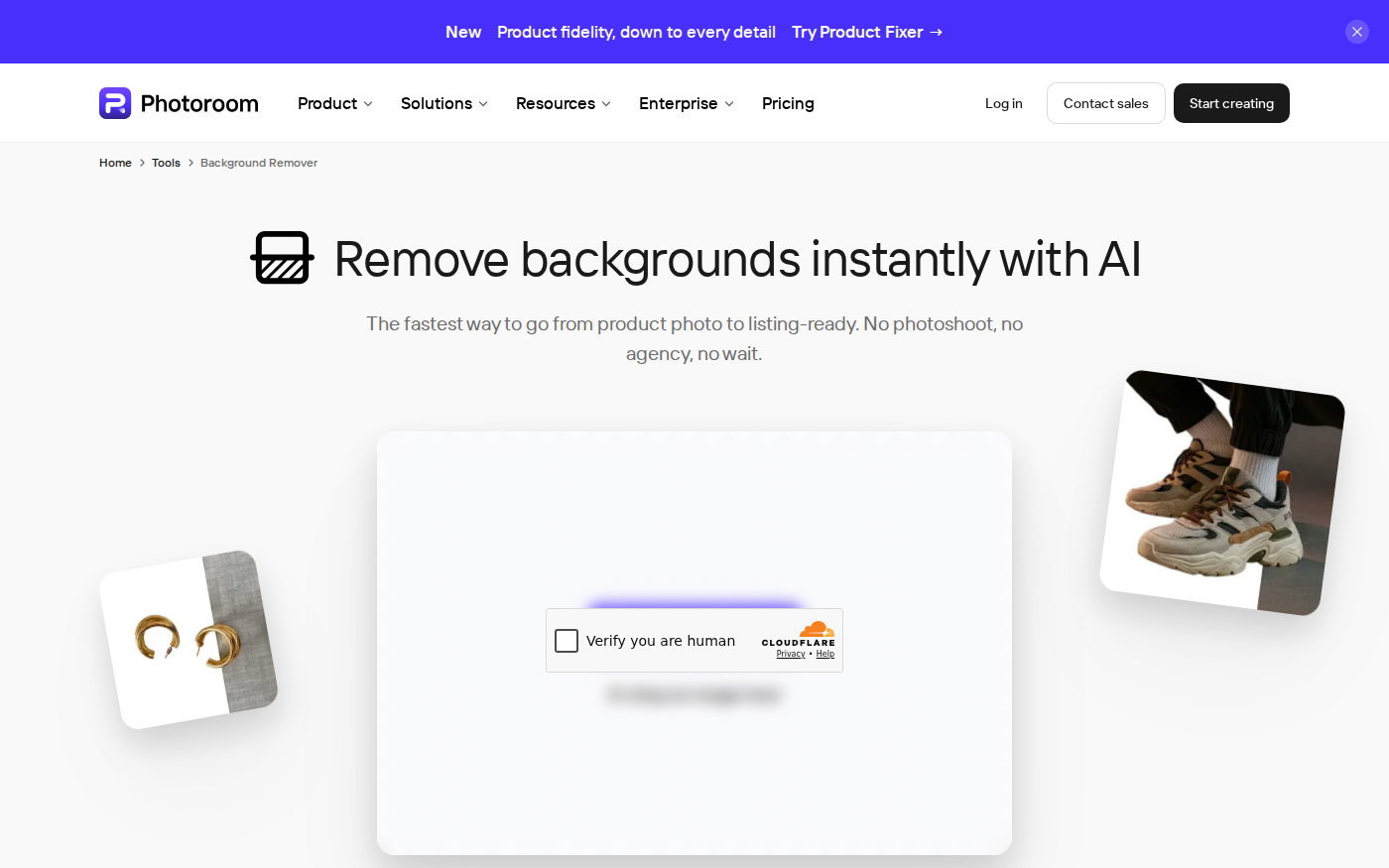
PhotoRoom vs Pixlr: Which Is Better for Product Photos?
Last checked: September 4, 2026 · Category: AI image tools PhotoRoom is the more direct choice for turning product photos into consistent marketplace images; Pixlr is the more flexible choice when…
CapCut vs Descript: Which Editor Fits Talking-Head Videos?
Last checked: August 28, 2026 · Category: AI video tools CapCut and Descript can both turn a talking-head recording into a captioned video, but they make different parts of the edit feel primary.…
Wordtune vs QuillBot: Which Rewriter Gives You More for Free?
Last checked: August 21, 2026 · Category: AI text-generation tools Wordtune and QuillBot can both rewrite an awkward sentence, but their free plans place the limit in different places.…
Otter vs Fireflies: Which Meeting Assistant Fits Your Team?
Last checked: August 14, 2026 · Category: AI productivity tools Otter and Fireflies solve the same basic problem, but their pricing meters and strongest use cases are different.…