AI Productivity Stack for Founders in 2026: Notion AI, ClickUp AI, Reclaim, Zapier, and Make
Last updated: 21 June 2026 · findaiverse curation team
Founders do not need another list of shiny apps. They need an AI productivity stack for founders that keeps decisions, tasks, meetings, customers, and follow-ups from drifting into five half-finished places. I have seen the same failure pattern in early teams again and again: Notion becomes a museum, Slack becomes the task manager, the calendar becomes a pile of interruptions, and the founder ends Friday asking, “What did we actually finish?”
This guide is for bootstrapped founders, agency owners, product leads, and small team operators who already use AI for writing but want a working operating system. The focus is the findaiverse productivity tools hub, especially the tools that sit close to daily execution: Notion AI, ClickUp AI, Reclaim, Zapier AI, and Make. I will keep the advice practical: what to centralize, what to automate, where AI helps, and where it quietly creates more mess.
- Pick a source of truth first — AI is useful only when the team agrees where plans, specs, and decisions live.
- Separate knowledge from execution — Notion AI is strong for docs and internal memory; ClickUp AI is better when tasks need owners, dates, status, and reporting.
- Automate handoffs, not judgment — Zapier AI and Make work best for moving clean data between tools; humans should still approve risky customer, finance, or legal actions.
- Calendar AI is a defense system — Reclaim, Clockwise, and Motion protect focus time only if the founder defines real priorities.
- Start with one workflow — a 30-day rollout beats a weekend migration that nobody trusts by Wednesday.
1. The 2026 AI productivity stack starts with one source of truth
An AI productivity stack for founders should start with a boring question: where does the truth live? If the answer is “a little in Notion, a little in Slack, some in my inbox, and the rest in my head,” the stack is not ready. AI will happily summarize that mess, but it cannot fix the social problem underneath it. The team needs a home for decisions, open projects, meeting notes, product specs, customer language, hiring notes, and the operating calendar.
For many small teams, Notion AI is the cleanest first layer because it sits inside documents, wikis, and databases. It can summarize long notes, turn messy meeting text into action items, rewrite a rough policy into a readable team page, and answer questions from a workspace when the content is organized. I like it for founders because it does not force a heavy project-management habit on day one. You can begin with a simple company wiki, a project database, and a decision log.
The trap is treating Notion as a dumping ground. AI search inside a messy workspace feels magical for a week, then vague. Give every important page one owner, one status, and one next review date. Use plain titles such as “Pricing decision — June 2026” instead of “Notes from call.” Make one database for decisions and one for projects. This is not bureaucracy. It is the difference between an assistant that can answer “why did we choose annual billing?” and an assistant that guesses from a pile of fragments.
Use the findaiverse productivity category as a map, not a shopping list. The productivity hub includes note-taking, scheduling, automation, email, meeting, and work-management tools. A founder should resist the urge to install one from every row. The first win is simple: one place to write, one place to assign, one place to schedule, and one place to automate.

2. Task ownership: ClickUp AI vs a lighter Notion setup
Tasks are where many founder stacks split. Notion can handle lightweight project tracking. A simple board with owner, status, due date, and priority is enough for a three-person team shipping a narrow product. Once the team has client delivery, recurring operations, dependencies, QA steps, and multiple departments, ClickUp AI often becomes the better execution layer.
ClickUp AI is useful because it sits on top of tasks, docs, comments, status updates, and reporting. A founder can ask for a project summary, turn a task description into subtasks, draft a weekly update, or pull action items from a long thread. That sounds small until you run a Monday meeting with eight open projects. The administrative work of “what is blocked, who owns this, what changed?” eats attention. ClickUp AI gives the team a sharper starting point.
| Need | Notion AI | ClickUp AI |
|---|---|---|
| Company wiki and internal docs | Best fit | Good, but less flexible for narrative docs |
| Tasks with dependencies and reports | Works for simple boards | Best fit |
| Weekly founder dashboard | Manual setup needed | Strong if work already lives in ClickUp |
| Low-process creative work | Comfortable | Can feel heavy |
My rule is simple. If a task can be done by the person who wrote it, keep it in Notion. If it requires a second person, a customer date, a quality check, or a repeatable process, move it to ClickUp. The founder should not be the human router for every handoff. The system should show who owns the next step without a Slack archeology session.
There is a cultural angle too. Some small teams reject task tools because they feel like surveillance. AI makes that worse if summaries turn into scorecards. Frame the tool as memory, not policing. A weekly ClickUp AI summary should answer “what needs help?” before it answers “who is late?” Teams share more honest updates when the system is built to reduce confusion.
3. Calendar defense: Reclaim, Clockwise, and Motion are not magic
Founder calendars break because every request looks urgent at the moment it arrives. A customer wants a call, a partner asks for feedback, an investor thread gets revived, and a teammate needs a decision. By Thursday, deep work has been traded for context switching. Calendar AI can help, but only after the founder admits that time is the real budget.
Reclaim is good when the team wants habits, tasks, and focus blocks to defend themselves inside Google Calendar. Clockwise fits teams that need smarter meeting movement and shared focus time. Motion is more opinionated: it treats tasks and calendar slots as one planning surface. All three can reduce scheduling friction. None can decide your company strategy.
Set three rules before you connect a calendar AI tool. First, define maker time. For most founders, that means two to three blocks per week where no sales call, partner chat, or internal sync can land. Second, define response windows. If you answer Slack during every focus block, the calendar tool becomes decoration. Third, tag meetings by type: sales, hiring, product, finance, support, team. After two weeks, review where time actually went. The report is often uncomfortable. That is useful.
Do not let the tool reschedule sensitive meetings without care. A candidate interview, a customer escalation, or a finance deadline is not the same as a casual catch-up. Use AI scheduling for flexible work and recurring coordination. Keep human judgment for relationships where timing carries meaning.
A founder I spoke with during curation work had a neat setup: Reclaim protected exercise and writing blocks, ClickUp held project deadlines, and Notion held decision notes. The win was not fancy. It was a Friday review where the founder could see missed commitments before Monday morning. That alone changed team trust.
4. Automation layer: Zapier AI and Make should move facts, not create confusion
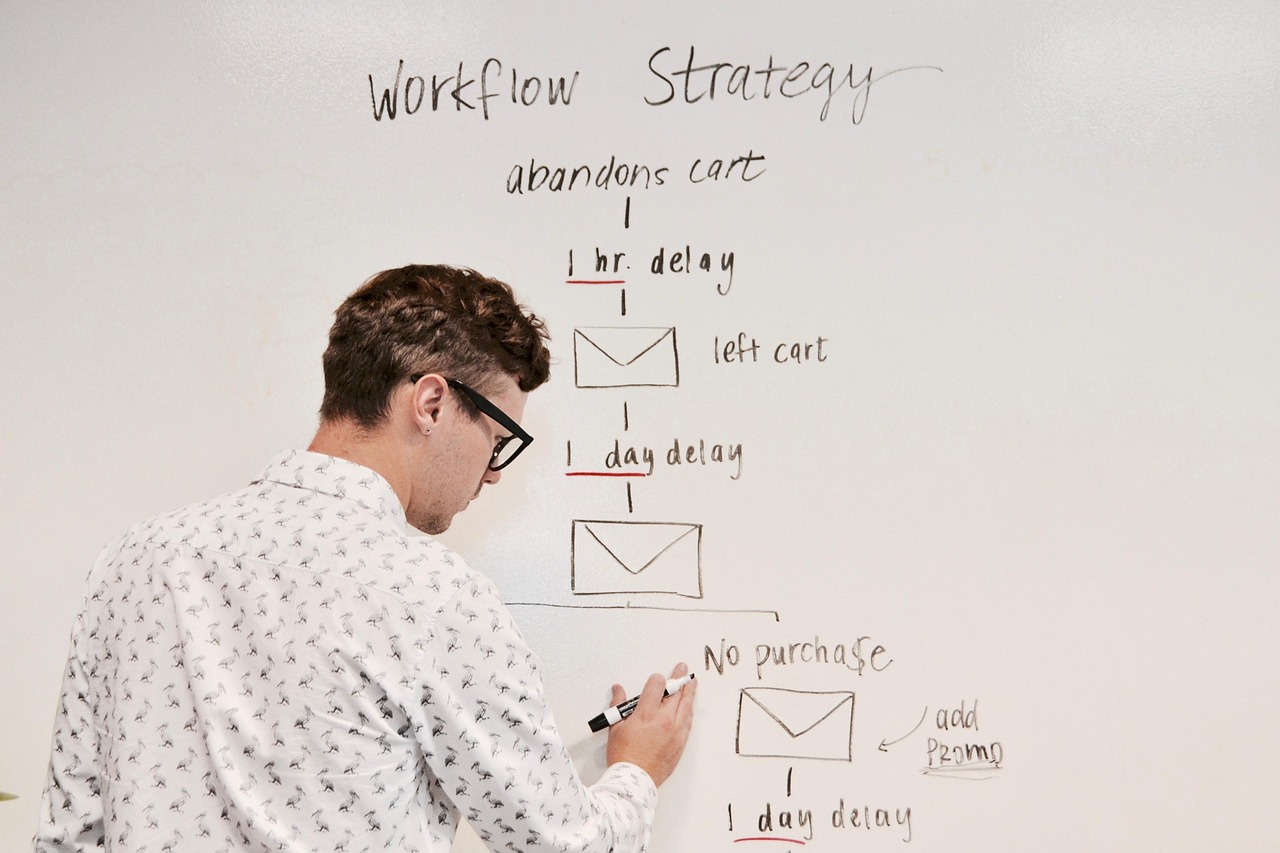
Automation is where founders either save five hours a week or create a quiet monster. Zapier AI is friendly for common app handoffs: form submission to CRM, support message to ticket, new lead to Slack, email attachment to drive folder, call booking to task. The natural-language builder helps non-technical operators describe what they want without learning every menu first.
Make is better when the workflow has branching logic, data cleanup, API calls, retries, and visual debugging. I prefer Make for operations that need a real map: “If a paid invoice arrives, create a fulfillment task, check stock, notify the warehouse, update the customer sheet, and log exceptions.” Zapier is often faster to start. Make is often easier to reason about once the workflow grows legs.
The safe pattern is to automate handoffs, not judgment. Let the system move a qualified lead into the right pipeline. Do not let it promise a delivery date from an unverified inventory table. Let it draft a customer reply. Do not let it send a refund approval without a human check. Let it tag a support message by topic. Do not let it close the ticket because an AI summary sounded confident.
Founders should also keep an automation register. It can be a Notion database with six fields: workflow name, owner, trigger, action, apps touched, and last tested date. Add one more field called “blast radius.” If the automation fails, what breaks? A Slack alert is low risk. A billing update is high risk. This simple table prevents the common problem where nobody remembers why an automation exists until it fails at 2 a.m.
AI agents are becoming more common in business tools, and the Google News feed around AI tools now shows the same tension: companies want agents to act on their own, while also building controls to keep them in line. That is the right mental model for a founder stack. Give AI tools narrow permissions first. Expand only after logs, owners, and rollback steps exist.
5. Knowledge capture: meetings, decisions, and searchable history
Meetings are expensive, but lost decisions are worse. If a founder leaves every call with three promises and no written owner, the team pays twice: once for the meeting, then again for the follow-up confusion. AI meeting tools can help, especially when paired with a clear knowledge system.
For English-heavy teams, Otter AI, Fireflies, and Tactiq cover common meeting capture needs: transcripts, speaker labels, summaries, and action items. The tool choice matters less than the review habit. Someone must approve the summary, mark real action items, and move decisions into the source of truth. Raw transcripts are not knowledge. Approved decisions are.
Here is the workflow I like for small teams. Record only meetings that need memory: product decisions, customer discovery, hiring interviews, postmortems, and partner calls. Send the summary into Notion or ClickUp. Split notes into three fields: decision, action, open question. During the weekly review, close open questions or assign them. If a note has no decision, action, or question, it is archive material, not operating material.
Privacy matters. Tell participants when transcription is on. Keep sensitive calls out of broad workspaces. Use workspace permissions instead of relying on “nobody will search for that.” AI makes old notes easier to find, which is exactly why access control needs to be intentional.
The payoff arrives after a month. A teammate can ask, “Why did we delay the API launch?” and find a dated decision with context. A founder can prepare for an investor update by pulling weekly summaries instead of scanning chat history. Customer language can feed the next sales page. This is where the stack starts feeling like a second brain rather than a pile of subscriptions.

6. What broke during our curation checks
During findaiverse curation checks, I pay attention to the boring failures because they predict real adoption. The first failure is over-automation. A founder connects form tools, email, Slack, CRM, and tasks in one afternoon. The demo looks great. Two weeks later, the team has duplicate contacts, unclear ownership, and notifications nobody trusts. The fix is slower than the setup: remove half the automations and rebuild around one measurable workflow.
The second failure is AI summaries with no owner. Notion AI and ClickUp AI can produce clean summaries, but a summary without an owner is just a nicer version of forgetfulness. Every decision needs a person who can explain it later. Every action item needs a due date or a reason it does not need one. AI can draft those fields, but a human should accept them.
The third failure is calendar optimism. Founders plan twelve hours of focused work into a week that already has customer calls, hiring screens, finance tasks, and product reviews. Reclaim or Clockwise moves blocks around, then the founder ignores the blocks. The tool gets blamed. The real problem is that the operating plan was dishonest about capacity.
The fourth failure is tool overlap. Notion, ClickUp, Slack, Google Docs, and email all become places where work can start. That sounds flexible; in practice it means work hides. The stack needs a rule of entry. For example: customer requests begin in the CRM, product tasks begin in ClickUp, decisions begin in Notion, urgent incidents begin in Slack but get logged afterward. Pick rules your team can remember without a manual.
One more note: AI search can make messy systems feel acceptable longer than they should. If you can ask a chatbot to find a half-lost answer, you may delay the harder work of naming pages, pruning old plans, and deleting stale tasks. Do not let AI become a polite cover for poor operating habits.
7. A 30-day rollout plan for a founder team
Week one: map the current mess. Do not migrate yet. List every place where tasks, decisions, files, and customer promises live. Count how many times a teammate has to ask, “Where is the latest version?” That count is your baseline. Pick one source of truth and one task layer. For many teams, that means Notion AI plus ClickUp AI. For a lighter team, Notion alone may be enough.
Week two: build the minimum workspace. Create a decision log, project database, meeting notes template, and weekly review page. Add only the fields you will use: owner, status, priority, due date, source link, and next review. If you cannot explain a field in one sentence, skip it for now. Link the workspace to the relevant findaiverse tool pages so new teammates can understand the tool choices quickly.
Week three: add one automation. Choose something boring and frequent. Good candidates include “new sales form creates a task,” “new support tag sends a Slack alert,” or “meeting summary creates a review item.” Build it in Zapier AI or Make, test it with fake data, and write down the rollback step. If the workflow touches money, contracts, or customer promises, keep approval manual.
Week four: protect the calendar and run a review. Add Reclaim, Clockwise, or Motion only after tasks are clear. Block founder focus time, add recurring review time, and compare planned work with finished work. The goal is not perfect productivity. The goal is visible tradeoffs. A founder stack is working when the team can see what matters, what slipped, who owns the next move, and which tool contains the truth.
After 30 days, remove unused tools. A clean stack with five trusted tools beats a noisy stack with fifteen. If a tool does not help the team decide, do, remember, or communicate, it is probably a distraction.
Frequently Asked Questions
What is an AI productivity stack for founders?
An AI productivity stack for founders is a small set of connected tools that helps a founder-led team plan work, capture knowledge, manage time, and automate handoffs. It usually includes a source of truth, a task layer, a calendar assistant, an automation tool, and meeting or knowledge capture.
Should I use Notion AI or ClickUp AI first?
Use Notion AI first if your biggest problem is scattered notes, weak documentation, and slow writing. Use ClickUp AI first if your biggest problem is task ownership, deadlines, dependencies, and status reporting. Many teams use Notion for knowledge and ClickUp for execution.
Is Zapier AI better than Make for founder operations?
Zapier AI is usually faster for simple app connections and common business workflows. Make is stronger when a workflow needs branching, data transformation, error handling, or a visual map. If your team has no technical operator, start with Zapier. If workflows are complex, test Make early.
How many AI productivity tools should a small team use?
Most small teams should start with three to five tools. More tools create more places to search and more permissions to manage. Add a new tool only when it owns a clear job that the current stack does not handle well.
The stack should make work visible
The best AI productivity stack for founders is not the one with the most automation. It is the one your team trusts on a tired Wednesday. Start with the source of truth, assign work where ownership is visible, protect time, then automate the clean handoffs. If you want to compare more options, browse the productivity tools category or start from the full findaiverse AI tools directory.