AI Image Prompt Library Workflow 2026: Midjourney, DALL-E, Firefly, Ideogram, Flux, and Krea for Brand-Safe Campaign Images
Last updated: 2026-07-12 · Image Generation
Most teams do not need more AI images. They need fewer throwaway images and a better memory of what worked. A random prompt in Midjourney can produce a beautiful hero visual. DALL-E can sketch an ad direction in seconds. Adobe Firefly can keep a designer inside a familiar creative workflow. Ideogram can help when typography matters. Flux and Krea are useful for fast visual exploration. Yet a campaign can still fail because nobody saved the style rules, source assets, review notes, or reasons a certain image was approved.
This guide is for marketers, founders, designers, content leads, agencies, and small teams that publish campaign images every week. The findaiverse Image Generation tools hub lists tools that can create, edit, upscale, remove backgrounds, and turn written ideas into visual options. The missing piece is usually not another generator. The missing piece is a prompt library that tells the team how to make images that still feel like the same brand after the tenth post.
My strong opinion: a prompt library is not a folder of magic words. It is an operating system for visual choices. It records audience, channel, aspect ratio, brand tone, color limits, camera language, negative examples, source image rules, rights notes, and final export habits. If you keep only the final JPEG, you lose the learning. If you keep the prompt, draft, edits, approvals, and result, the next image starts from experience instead of luck.
- Save decisions, not only prompts — a useful library records the brief, prompt, seed or reference, rejected versions, review notes, and final asset.
- Use different tools for different jobs — mood boards, text-heavy ads, product images, style transfer, and private workflows need different controls.
- Keep claims editable — prices, product facts, compliance statements, customer quotes, and legal text should not be trapped inside a generated bitmap.
- Measure repeatability — the best system creates the second, fifth, and twentieth campaign image faster with fewer brand corrections.
Why a prompt library beats random image prompts
A single prompt is a guess. A prompt library is a record of choices. That difference decides whether AI image generation becomes a team asset or another pile of beautiful drafts. Random prompting works when one person needs inspiration. Campaign work is different. A campaign has deadlines, approvals, brand rules, image sizes, channel limits, and people who need to understand why one visual direction was chosen over another.
A good library starts with context. Who is the audience? What is the product? Which channel will carry the image? What must stay true? What should the image make the viewer feel before they read the headline? These questions may sound basic, but they stop the common mistake where a team picks the most striking AI image even though it does not fit the offer, landing page, or brand memory.
The Image Generation category is full of useful tools, but tools do not remember your brand by default. Midjourney may give you a rich photographic style. Firefly may fit an Adobe design flow. DALL-E may follow a clear brief. Ideogram may handle mock poster text. Flux may create crisp visual experiments. Krea may help iterate live. Unless your team records the visual grammar, every new prompt starts too close to zero.
A library also protects quality. You can include approved color ranges, forbidden visual clichés, example prompts, reference images, aspect ratios, export sizes, consent rules, and review checklists. Add examples of failed prompts too. Failed examples are useful because they show what your brand is not. A folder named “do not use this look again” can save more time than a folder of polished winners.
Start small. Create one library for one recurring campaign type: blog hero images, LinkedIn carousels, product launch ads, webinar thumbnails, or marketplace support images. If the library makes that one job faster, expand it. If it becomes a museum nobody opens, simplify it until a busy marketer can use it in ten minutes.
The seven image-generation jobs a campaign team should split
The first job is the creative brief. Before any prompt, write the audience, promise, channel, size, deadline, owner, product facts, forbidden claims, and visual direction. Do not ask the image model to invent the marketing strategy. Ask it to explore within a strategy you can defend.
The second job is mood exploration. Midjourney, Flux, Krea, Leonardo AI, and Stable Diffusion can produce mood directions quickly. Use this stage for composition, lighting, texture, visual metaphor, and campaign energy. Do not worry about final text yet. The output should help the team discuss style, not pretend to be finished creative.
The third job is layout testing. DALL-E, Ideogram, Firefly, Canva AI, and Figma-adjacent workflows can help test where a headline, object, or call to action might sit. For paid ads and landing pages, leave space for editable text. If the model draws words into the image, treat them as placeholders unless a human checks every character.

The fourth job is product support. PhotoRoom, Remove.bg, Firefly, Canva AI, and Photoroom-style workflows are practical when the source product photo is real but the background, crop, or shadow needs work. This is less glamorous than text-to-image, yet it often matters more for e-commerce and SaaS launch graphics. Keep the real product truthful.
The fifth job is variation. A team may need a blog hero, a LinkedIn card, a newsletter image, a YouTube thumbnail, a square ad, and a tall story asset. Variation is where a prompt library pays off. You can preserve subject, tone, color, and framing while changing format, density, and CTA space.
The sixth job is review. Someone must check rights, likeness, brand fit, accessibility, product claims, sensitive content, and localization. The reviewer should see the prompt, source files, and final image, not only the exported PNG. A plausible image can hide a false claim.
The seventh job is storage and learning. Save prompts, references, seeds where available, generated candidates, edit files, final exports, image alt text, approval notes, and performance data. The prompt library becomes valuable when it includes what happened after the image went public.
Midjourney, DALL-E, Firefly, Ideogram, Flux, and Krea compared
| Campaign job | Good starting tools | Best use | Human check |
|---|---|---|---|
| Mood and art direction | Midjourney, Flux, Krea | Create style territories, campaign mood boards, hero concepts, and visual references before production starts. | Does the image match the brand memory, or is it only impressive for one prompt? |
| Readable ad concepts | DALL-E, Ideogram, Adobe Firefly | Mock headlines, package labels, poster layouts, and social creative where text placement matters. | Are words correct, legally safe, and still editable in the final design file? |
| Product-safe variants | Adobe Firefly, PhotoRoom, Remove.bg, Canva AI | Clean product backgrounds, campaign cut-downs, marketplace cards, and e-commerce support images. | Does the generated background change product size, material, included accessories, or customer expectations? |
| Open or private workflows | Stable Diffusion, Leonardo AI, Replicate | Repeatable style tests, internal model experiments, bulk variants, and workflows where control matters more than speed. | Who owns the workflow, seeds, model choices, rights notes, and update history? |
Midjourney is still a strong place to explore art direction. It is especially useful for mood, lighting, composition, texture, and campaign territories that need emotional range. The risk is taste drift. Midjourney can produce images that feel expensive but not necessarily like your brand. Keep style references and negative examples close, and do not let the most dramatic image win by default.
DALL-E is useful when the brief is concrete and the team wants controlled visual concepts, fast ad sketches, or simple compositional tests. It can be easier for non-designers because the instruction style feels conversational. Treat it as a drafting partner. Strong results still need editing, brand review, and often a design pass in Canva, Figma, or Photoshop.
Adobe Firefly fits teams that care about a design workflow and commercial use checks. It works well when image generation, generative fill, background changes, and creative editing are part of the same production habit. Ideogram deserves attention when the image needs poster-like type, logo-like word treatment, or readable text concepts. Even then, final campaign text should stay editable until the last export.
Flux, Krea, Stable Diffusion, Leonardo AI, and Replicate are worth testing when the team wants more control, style experiments, open workflows, or repeatable variants. They may require more process skill. That tradeoff can be worth it for agencies, design teams, and privacy-sensitive groups that need to understand how images are produced.
How to build a brand-safe prompt system
Build the library around reusable fields instead of long prompt paragraphs. The fields can be simple: audience, channel, goal, subject, product truth, style, composition, lighting, color, texture, camera, emotion, negative list, output size, tool, source material, and review owner. A field-based system is easier to teach than one perfect prompt.
Write a brand visual grammar. List approved colors, contrast rules, background styles, human representation rules, object scale, preferred image density, typography habits, and forbidden clichés. Add examples. If your brand avoids neon cyberpunk, say so. If your product should never appear as a physical device, say so. If images must leave room for a headline at top left, write it into the recipe.
Use prompt recipes by asset type. A blog hero prompt may start with topic, metaphor, audience, and wide composition. A LinkedIn carousel cover prompt may need large empty space, high contrast, and a clean focal object. A YouTube thumbnail prompt may need face, expression, object, and text zone. A product launch prompt may require real screenshots or real product photos before any generated background is allowed.

Keep text separate when the words matter. For claims, offers, prices, customer quotes, statistics, product names, and legal disclaimers, generate the background or concept first, then add text in a design tool. Ideogram and Firefly can help visualize text direction, but the final words should be easy to correct. Nothing slows a campaign like regenerating a whole image because one number changed.
Name versions clearly. A useful naming pattern might be campaign-channel-tool-date-version-status. For example: q3-webinar-linkedin-midjourney-20260712-v04-approved. This sounds dull, but it prevents the classic problem where five people share six similar images and nobody knows which one was approved.
Finally, attach performance notes. Did the image increase click-through? Did sales ask to reuse it? Did users misunderstand it? Did localization fail in another market? A prompt library that includes outcomes becomes a better creative partner than one that only stores pretty prompts.
Rights, likeness, accessibility, and localization checks
Rights review starts with the inputs. Did you upload customer images, employee faces, unreleased product screens, copyrighted art, or client reference boards? If so, does your policy allow it? Different tools have different terms and data-use settings. Before a company-wide workflow, check the current vendor documentation and write a plain-language rule for what can and cannot be uploaded.
Likeness is a separate issue. AI can create people who look like real customers, employees, celebrities, or influencers. Even accidental resemblance can create trust problems in ads and public campaigns. Use consent rules for any real person reference. Avoid creating fake testimonials or scenes that imply a real customer story unless the story is real and approved.
Accessibility belongs in image generation too. High-contrast visuals, clear focal points, readable overlays, meaningful alt text, and low visual clutter help more people understand the asset. For web images, follow practical basics from W3C accessibility resources. A beautiful image that cannot be read on a phone is not a successful campaign asset.
Localization is not only translation. An image that feels friendly in one market may look childish, too aggressive, too formal, or culturally off in another. Colors, gestures, office scenes, clothing, food, homes, devices, and humor all carry local signals. Keep market-specific prompt notes for important regions.
Brand safety is mostly a habit of asking plain questions. Does this image imply a product feature we do not offer? Does it show a customer result we cannot prove? Does it make a regulated claim? Does it include a UI that does not exist? Does it look like real footage when it is only a concept? If the answer is uncertain, mark it as concept art or replace it with verified material.
A 30-day pilot with metrics that matter
Week one is inventory. Collect the last fifty campaign images your team shipped. Mark the channel, topic, owner, format, source, and result. Look for patterns: which assets took too long, which needed many revisions, which looked off-brand, which performed well, and which were reused. This inventory tells you where AI image generation should start.
Week two is prompt recipe building. Pick one asset type and write three recipes. For example, create a blog hero recipe, a LinkedIn announcement recipe, and a webinar thumbnail recipe. Test each recipe in two tools. Do not judge by the best single image. Judge by how many usable candidates appear after a fixed amount of time.
Week three is review and template work. Put the best images into your real design environment. Add editable headlines, alt text, brand colors, and export sizes. Ask the people who normally approve assets to review them. Track where they hesitate. Their comments will reveal gaps in the prompt library.
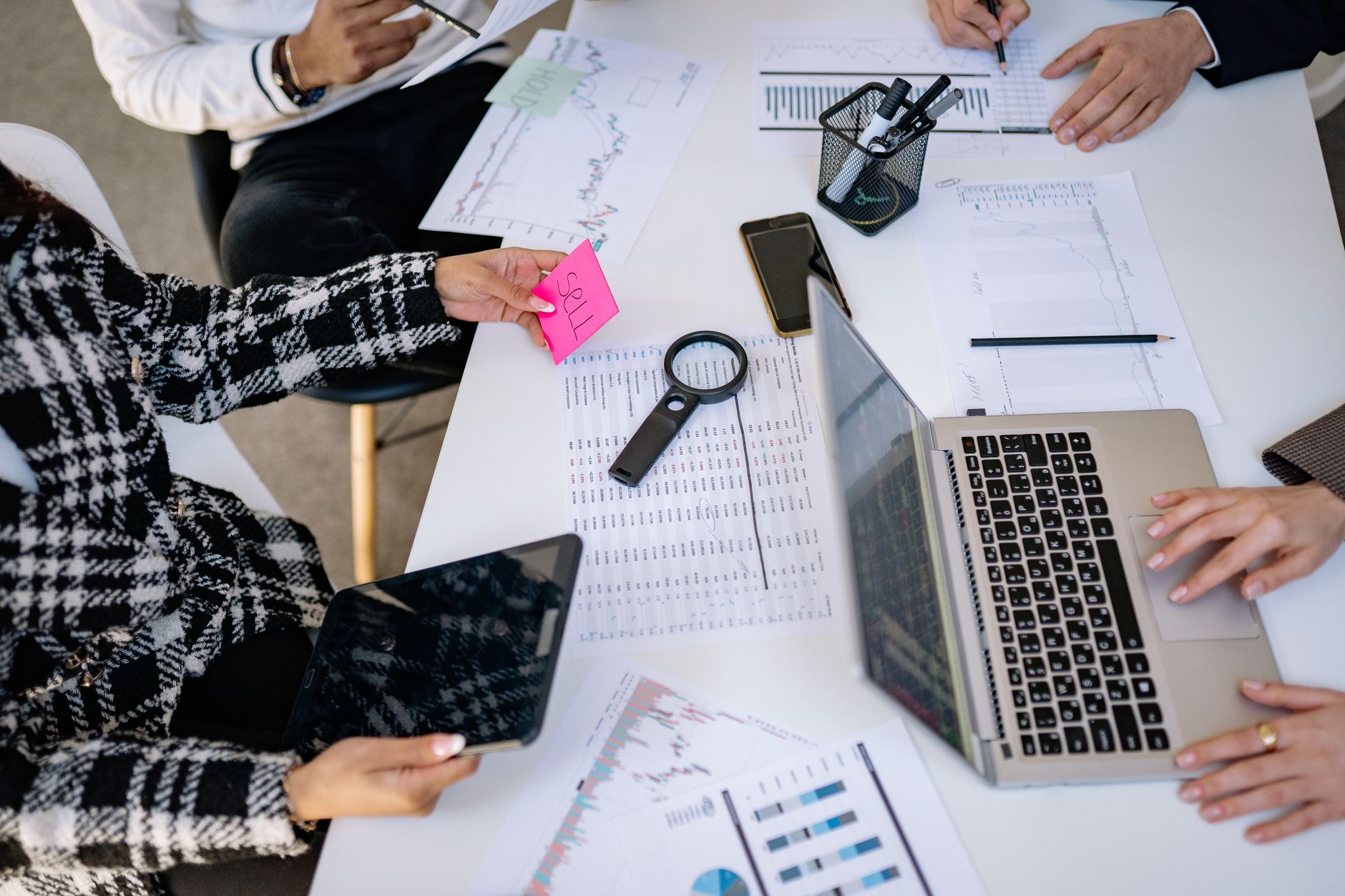
Week four is publishing and measurement. Publish a small batch and track production time, edit time, approval rounds, rejected images, click-through rate, save rate, comments, reuse count, and any confusion from viewers. For internal assets, track whether sales, support, or customer success actually use the images.
The key metric is not how many images were generated. It is how many images were used with less rework and equal or better results. If a tool produces sixty images and two survive review, the cost includes all the time spent judging the other fifty-eight. A plainer workflow that gives four solid options in ten minutes may win.
After 30 days, decide what belongs in the standard workflow. Keep the recipes that reduce rework. Remove tool choices that generate excitement but not usable assets. Tighten upload rules. Add failed examples. The pilot should leave behind a working prompt library, not only a slide saying AI is promising.
Field notes from findaiverse curation
While curating the Image Generation tools hub for findaiverse, we keep seeing the same pattern: teams discover AI images through spectacle, then keep the tools that reduce production friction. Background removal, editable variants, brand-safe references, prompt memory, and review records sound less exciting than a perfect fantasy render. They are also what make weekly publishing possible.
Another pattern is that AI image generation exposes weak brand systems. If a team has no rules for product screenshots, visual tone, color, accessibility, consent, and text overlays, AI simply makes the inconsistency easier to see. The fix is not to ban generation. The fix is to give generation better boundaries.
My favorite test is the version-two test. Create one campaign image. Then use the same library to create a second image for a different channel two days later. If the second image is almost as hard as the first, the library is too vague. If the second image feels faster and more consistent, you are building a real system.
Disclosure: findaiverse lists free and paid AI tools, but this article is editorial guidance, not a paid placement. Features, rights terms, model quality, and data policies change. Before standardizing, compare current tool pages in the findaiverse AI tools directory and run a small real campaign before committing a whole team.
FAQ
What is an AI image prompt library?
An AI image prompt library is a shared record of prompt recipes, references, source assets, tool choices, approved examples, rejected examples, review notes, export rules, and performance results. It helps teams create campaign images that stay consistent instead of starting from a blank prompt every time.
Which AI image generator should a marketing team try first?
Start with the job. Try Midjourney or Flux for mood exploration, DALL-E for clear concept drafts, Firefly for Adobe-based creative editing, Ideogram for text-heavy concepts, and PhotoRoom or Remove.bg for product-image cleanup.
Should final ad text be generated inside the image?
Usually no. If text includes prices, claims, product names, dates, legal notes, or customer quotes, keep it editable in a design tool. Generated text can help with mockups, but final campaign words need human control.
How do we keep AI images safe for brand use?
Use upload rules, consent checks, source records, approved style recipes, negative examples, accessibility review, product-fact review, and final approval before publishing. Treat generated images as draft assets until a person confirms accuracy and rights.
Final recommendation
The best AI image workflow is not the one that makes the flashiest first draft. It is the one your team can repeat without losing the brand. Start with one recurring asset type, build a prompt library, test tools from the findaiverse Image Generation category, and keep only the recipes that produce approved images with less rework. Useful creative systems are remembered, not reinvented every Monday.