AI Video Generation Stack 2026: Sora, Runway, Kling, Pika, Luma, CapCut, and Descript for Small Teams
Last updated: 2026-07-10 · Video
A small team does not need an AI video generator. It needs an AI video generation stack. That difference matters. Sora, Runway ML, Kling AI, Pika, and Luma Dream Machine can create impressive motion from a prompt or an image. CapCut, Opus Clip, and Descript help turn rough material into a watchable edit. HeyGen, Synthesia, D-ID, and Rask AI handle presenters, dubbing, and localization. None of those jobs is the same.
This guide is for founders, marketers, creators, agencies, educators, product teams, and solo operators who want video output without building a full studio. The findaiverse Video tools category has a growing set of tools for generation, editing, avatar video, translation, and repurposing. The useful question is not which tool won the latest demo thread. The useful question is which tool should own each stage of your production loop.
My blunt take: AI video fails when teams treat a stunning first clip as a finished asset. A generated scene may still need a tighter script, source footage, captions, audio cleanup, brand review, rights review, and platform-specific edits. The winning stack is usually boring: one generator for visuals, one editor for captions and pacing, one tool for reuse, and one workflow rule that stops half-finished clips from going public.
- Separate generation from editing — the tool that creates a scene is rarely the best tool for pacing, captions, audio, variants, or final export.
- Pick by asset type — cinematic campaign visuals, tutorial videos, short clips, avatar explainers, and localized demos require different controls.
- Review every public claim — AI video can make fake product screens, impossible scenes, and confident voiceovers look official; human review protects trust.
- Measure repeatability — a stack is working when your team can produce the second, fifth, and twentieth video without starting over each time.
Why small teams need a video stack, not one magic generator
AI video moved quickly from novelty to production pressure. A founder sees a cinematic clip from Sora, a marketer sees a product shot from Runway, a creator sees Kling generate a longer scene, and the team asks why every campaign cannot be video-first next week. The excitement is understandable. The mistake is assuming the generation tool has solved the whole production chain.
A finished video is a bundle of decisions. It needs a purpose, audience, hook, script, source material, aspect ratio, pacing, captions, audio, visual consistency, call to action, thumbnail, export settings, and review history. A video generator touches only part of that bundle. Even a beautiful five-second scene can become useless if the text is wrong, the logo is distorted, the product looks different from reality, or the clip cannot be edited into a platform-native format.
Use the Video tools hub as a production map. Sora, Runway, Kling, Luma, and Pika sit near generated motion. CapCut and Descript sit near editing and captions. Opus Clip sits near repurposing. HeyGen, Synthesia, and D-ID sit near presenter-led video. Rask AI sits near dubbing and localization. InVideo AI sits near prompt-to-marketing-video production. The best stack often combines two or three of these, not ten.
A good first question is: what video type repeats every week? If the answer is product explainers, you need script, screen capture, avatar or voiceover, captions, and updateability. If the answer is social clips, you need hooks, vertical reframing, captions, and fast export. If the answer is campaign mood films, you need visual generation, art direction, and brand review. If the answer is multilingual training, you need avatar consistency, translation review, and version control.
Small teams should also resist tool sprawl. Every extra subscription creates another place for assets, prompts, drafts, and permissions to drift. Choose a lane, document it, and test it against real work. The right stack should reduce the number of decisions per video, not multiply them.
Seven video jobs to separate before choosing tools
The first job is the brief. Write the audience, platform, length, format, source materials, product facts, offer, deadline, and review owner. A prompt is not a brief. A prompt describes what you want the model to render; a brief tells the team why the video exists and what cannot be wrong. Keep the brief short enough that people will actually use it.
The second job is visual generation. Sora, Runway, Kling, Luma, and Pika are strong here, but they behave differently. Sora is compelling when storyboards and cinematic language matter. Runway is useful when generation and creative editing tools need to live together. Kling is attractive for longer clips and lip sync experiments. Luma is fast for motion from images and physically grounded shots. Pika is friendly for short social-style creative experiments.
The third job is assembly. Generated clips, real footage, screen recordings, product photos, and stock scenes rarely arrive in the exact order you need. CapCut is quick for social assembly, captions, templates, and mobile or desktop edits. Descript is excellent when the video is driven by spoken words because editing the transcript trims the media. InVideo AI can generate more complete marketing videos from a prompt, which helps when you want a first draft with script, stock footage, narration, and subtitles together.
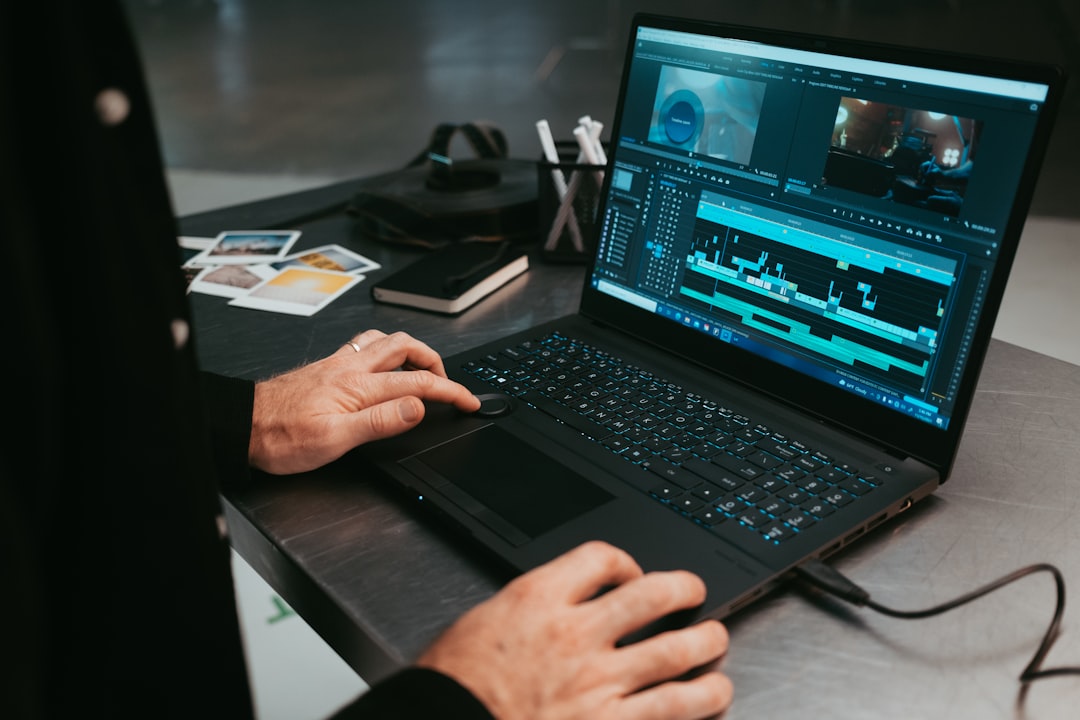
The fourth job is captions. Captions are not decoration. They drive comprehension, accessibility, retention, and silent viewing. Auto-captioning from CapCut, Descript, Opus Clip, Vrew, or other editors is a start, not the finish. Review names, numbers, product terms, acronyms, and calls to action. A wrong caption can make an accurate voiceover look careless.
The fifth job is voice and presenter. HeyGen, Synthesia, and D-ID can create presenter-led video without a camera. They are useful for onboarding, training, product explainers, and multilingual assets. The key is restraint. Not every video needs a talking avatar. Use avatars when a clear presenter makes the message easier to trust, not when the team simply wants the asset to look more automated.
The sixth job is reuse. Opus Clip can turn long interviews, webinars, and podcasts into short clips. Rask AI can dub a strong video for another market. CapCut can resize and template the final edit for several platforms. Reuse is where video ROI often improves, because one strong recording can become a dozen market-specific assets.
The seventh job is review and storage. Store prompts, source clips, generated outputs, edit files, final exports, captions, music licenses, approval notes, and platform performance in one place. This sounds administrative. It is also the reason the fifth video gets faster than the first.
Sora, Runway, Kling, Pika, Luma, CapCut, and Descript compared
| Video job | Good starting tools | Best use | Human check |
|---|---|---|---|
| Cinematic AI generation | Sora, Runway ML, Kling AI, Luma Dream Machine, Pika | Concept shots, product mood films, campaign visuals, image-to-video tests, scene prototypes. | Does the motion match the brief, and are people, products, logos, hands, text, and physics credible enough for public use? |
| Short-form editing | CapCut, Opus Clip, Descript | Vertical edits, captions, reframing, pacing, highlight clips, talking-head cleanup, social exports. | Are captions correct, the hook clear in three seconds, and the edit native to TikTok, Shorts, Reels, or LinkedIn? |
| Avatar and training video | HeyGen, Synthesia, D-ID | Explainers, onboarding, sales enablement, multilingual product demos, internal training. | Is the presenter appropriate for the message, and are claims, compliance points, and pronunciation reviewed? |
| Localization and reuse | Rask AI, HeyGen, Opus Clip, CapCut | Dubbing, translated captions, clips from webinars, market-specific variants, regional channels. | Does the localized version sound natural, respect local context, and avoid misleading translation of prices or promises? |
Sora is best treated as a high-end concept and cinematic generation tool. It is useful when a team needs to explore scenes, camera direction, mood, or storyboards quickly. It can help marketers and creators show a visual idea before booking a shoot or building a 3D scene. The review issue is realism. Because the output can look polished, viewers may assume every object, UI, product detail, and event is real. Use disclaimers or clear context when the video represents a concept rather than actual footage.
Runway ML is strong when generation and post-production thinking overlap. Its value is not only text-to-video; it is the surrounding creative toolkit for image-to-video, video editing, background removal, inpainting, and visual iteration. Teams that work with designers, editors, and art directors may prefer Runway because it feels closer to a creative production workspace than a single generator.
Kling AI, Luma Dream Machine, and Pika each fit different iteration styles. Kling is worth testing when length, physics, image-to-video, and lip sync matter. Luma is attractive for fast image-to-video and physically believable movement. Pika is useful for quick short-form ideas, stylized animations, and social-friendly experiments. A practical team may test the same storyboard in all three, then choose based on motion quality, editability, and cost per usable clip.
CapCut and Descript belong at the end of the line. CapCut is often the fastest path to platform-native vertical video with captions, cuts, audio, templates, and mobile-friendly workflows. Descript is better when the edit follows speech: podcasts, tutorials, talking-head videos, webinars, and product walkthroughs. Opus Clip is the bridge from long content to social clips, especially when you already have interviews, demos, or courses that deserve more distribution.
A practical workflow from brief to finished video
Start with a one-page video brief. Include the viewer, the one action you want, the claim you can prove, the platform, the target length, the aspect ratio, the source material, the forbidden claims, and the review owner. If the video is for paid ads, include the offer and compliance rules. If it is for product education, include the exact product version and screenshots that may appear.
Write the script before generating visuals. Even a 20-second clip needs a structure: hook, problem, proof, payoff, and action. For a product demo, the proof may be real screen footage. For a campaign film, proof may be a product shot or testimonial. For a training video, proof is clarity. AI video should support the message, not hide a weak script behind motion.
Choose visual generation only for the shots that need it. Do not generate every scene by default. Use real product footage where truth matters. Use generated video for mood, metaphor, transitions, concept scenes, or impossible-to-film shots. If a generated shot includes your product, compare it with the real product before publishing. Product mismatch is not a design issue; it is a trust issue.
Assemble the rough cut in CapCut, Descript, or your existing editor. Keep versions short. For social video, test the first three seconds aggressively. For YouTube or LinkedIn, watch the first thirty seconds and ask whether a busy viewer understands the point. For training, ask whether the learner can act after the video ends. Different platforms reward different pacing.
Add captions, voice, and music last enough that you can still change the structure. This prevents the painful cycle where the team polishes audio and typography before the message is settled. Captions should be readable on a phone. Music should not fight the voice. AI voiceovers should be checked for pronunciation, emotional tone, and accidental emphasis.
Finish with a publish checklist: rights, factual claims, brand consistency, captions, accessibility, file name, thumbnail, aspect ratio, CTA, landing page link, and archive location. The checklist may feel slow. It is faster than pulling a video after a customer notices a fake screen or wrong price.
Quality checks: rights, brand safety, captions, and accessibility
Rights review starts with source material. Stock footage, generated visuals, music, voice cloning, product images, and customer clips each carry different permissions. Keep a simple asset log with source, tool, date, prompt or project, license note, editor, and final destination. If your team cannot explain where an asset came from, do not put it in a paid ad.
Brand safety in AI video is often about plausible errors. A generated dashboard has numbers that look real. A product appears with a feature you have not shipped. A customer scene implies a use case you cannot support. An avatar says a legal promise in a calm voice. These mistakes are dangerous because they do not look like glitches. They look like production quality.
Captions need their own QA pass. Social platforms reward captions, but bad captions are visible mistakes. Check names, product terms, prices, dates, units, and calls to action. For accessibility, follow practical caption and contrast habits from resources like the W3C audio and video accessibility guidance. You do not need a legal memo for every short, but you do need readable text and accurate speech.
Voice cloning and avatars deserve consent rules. If a person’s likeness or voice appears in a generated video, the team should know who approved it, where it can be used, and when it expires. This matters for employees, executives, influencers, instructors, and customers. A fun internal test can become a public trust problem if consent is vague.
Localization review is more than translation. Rask AI, HeyGen, and Synthesia can create market versions quickly, but a native reviewer should check idiom, honorifics, claims, units, subtitles, names, product availability, and cultural assumptions. A video that works in one market can feel careless in another if the CTA, humor, or proof point is not adjusted.
Keep a red-team habit for major assets. Ask one person who did not make the video to find what could be misunderstood. Ask a product person to check facts, a brand person to check tone, and an operator to check the landing path. The goal is not to slow creativity. The goal is to stop the small wrong thing that survives because the clip looked impressive.
A 30-day rollout plan and metrics that matter
Week one is inventory. List the videos your team already creates or wants to create: product demos, founder updates, customer clips, ads, webinar clips, training modules, help center videos, recruiting clips, and localization variants. Pick one recurring format. Do not try to automate every format at once.
Week two is a bake-off. Take the same brief and test two generation tools plus one editor. For example, create three product mood shots in Runway, Kling, and Luma, then assemble them in CapCut. Or build one training explainer with Synthesia and one with HeyGen, then localize a small segment with Rask AI. Judge usable output, not demo beauty.
Week three is template building. Save the brief, prompt patterns, caption style, export settings, thumbnail rules, music choices, review checklist, and archive naming. A repeatable template is more valuable than a spectacular one-off. Templates turn AI video from experiment into production.

Week four is publishing and measurement. Publish a small batch: maybe three Shorts, one LinkedIn clip, and one help video. Track hook retention, completion rate, clicks, comments, time to produce, manual edits, review issues, and reuse count. For internal training, track learner completion and support tickets avoided. For sales, track whether reps actually use the video.
Measure rework honestly. If a tool generates five beautiful clips and only one survives review, the cost is not the subscription price. It is the time spent prompting, downloading, arguing, editing, and checking. A plainer workflow that produces three usable videos every week may beat a cinematic generator that produces one heroic clip per month.
After 30 days, decide whether to keep, narrow, or pause. Keep the tool if it produced repeatable assets with less rework. Narrow the tool if it works for one format only. Pause if the team is making more drafts but not publishing more useful videos. Video operations should become calmer, not noisier.
Field notes from findaiverse curation
While curating the Video tools hub for findaiverse, we see one pattern again and again: teams discover AI video through generation, but they keep the tools that improve throughput. The daily bottleneck is often captions, resizing, clipping, script cleanup, localization, and review, not only the first moving image. That is why CapCut, Descript, Opus Clip, Rask AI, HeyGen, and Synthesia matter as much as Sora, Runway, Kling, Luma, and Pika.
Another pattern is that AI video reveals weak brand systems. If your team has no approved product screenshots, no caption style, no music rules, no CTA library, and no consent policy, AI video makes the gaps louder. A good video stack pushes you to define those rules. It does not remove the need for them.
My favorite test is the second-video test. Create one video with all the effort you can tolerate. Then create a second video from the same template two days later. If the second video is almost as hard as the first, you built a stunt, not a workflow. If the second is faster and cleaner, you are building an asset system.
Disclosure: findaiverse lists free and paid AI tools, but this article is editorial guidance, not a paid placement. Features, model quality, prices, licensing terms, and data policies change quickly. Before standardizing, check vendor documentation, run a small real project, and compare more options in the full findaiverse AI tools directory.
FAQ
What is an AI video generation stack?
An AI video generation stack is a set of tools and rules that covers video ideation, script writing, generated visuals, editing, captions, voice, localization, review, and publishing. It treats video production as a workflow rather than expecting one generator to handle every step.
Which AI video tool should a small team try first?
Choose by the video you repeat most. Try CapCut or Descript for editing and captions, Opus Clip for turning long videos into shorts, Runway or Kling for generated scenes, and HeyGen or Synthesia for presenter-led training and explainers.
Can AI video replace filming?
Sometimes, but not always. AI video is useful for concepts, explainers, stylized scenes, avatars, and fast variants. Real footage is still safer when product accuracy, customer proof, live events, or human authenticity matters.
How do we keep AI-generated video safe for brand use?
Use a brief, asset log, consent rules, caption QA, claim review, localization review, and a final publish checklist. Treat generated scenes as editable material until a human verifies product accuracy, rights, brand fit, and platform requirements.
Final recommendation
The practical AI video stack for a small team is simple: one generation lane, one editing lane, one reuse or localization lane, and one review rule that people respect. Start in the findaiverse Video tools category, test two real videos, and keep the tools that make repeatable publishing easier. The goal is not the most magical clip. The goal is useful video output your team can trust every week.